Direct file links
Paste supported file URLs, view file details, follow progress, and keep finished files easy to find.
KS Downloader helps Android users save supported videos, audio files, direct links, magnet links and torrent files from one simple screen. It also includes selected 18+ source categories for personal and permitted downloads where saving content is allowed.
Supported categories
KS Downloader supports a wide mix of content categories in one place. What can be downloaded may vary based on local law, IP/location, source-platform rules, content permissions and file availability.
Access to some categories may change depending on your region, IP, local law, source-platform limitations and file permissions. Always download only content you are allowed to save.
Main features
KS Downloader is made for users who want a smoother way to save supported content from social links, direct file URLs, magnet links, torrent files and selected 18+ source categories where permitted.
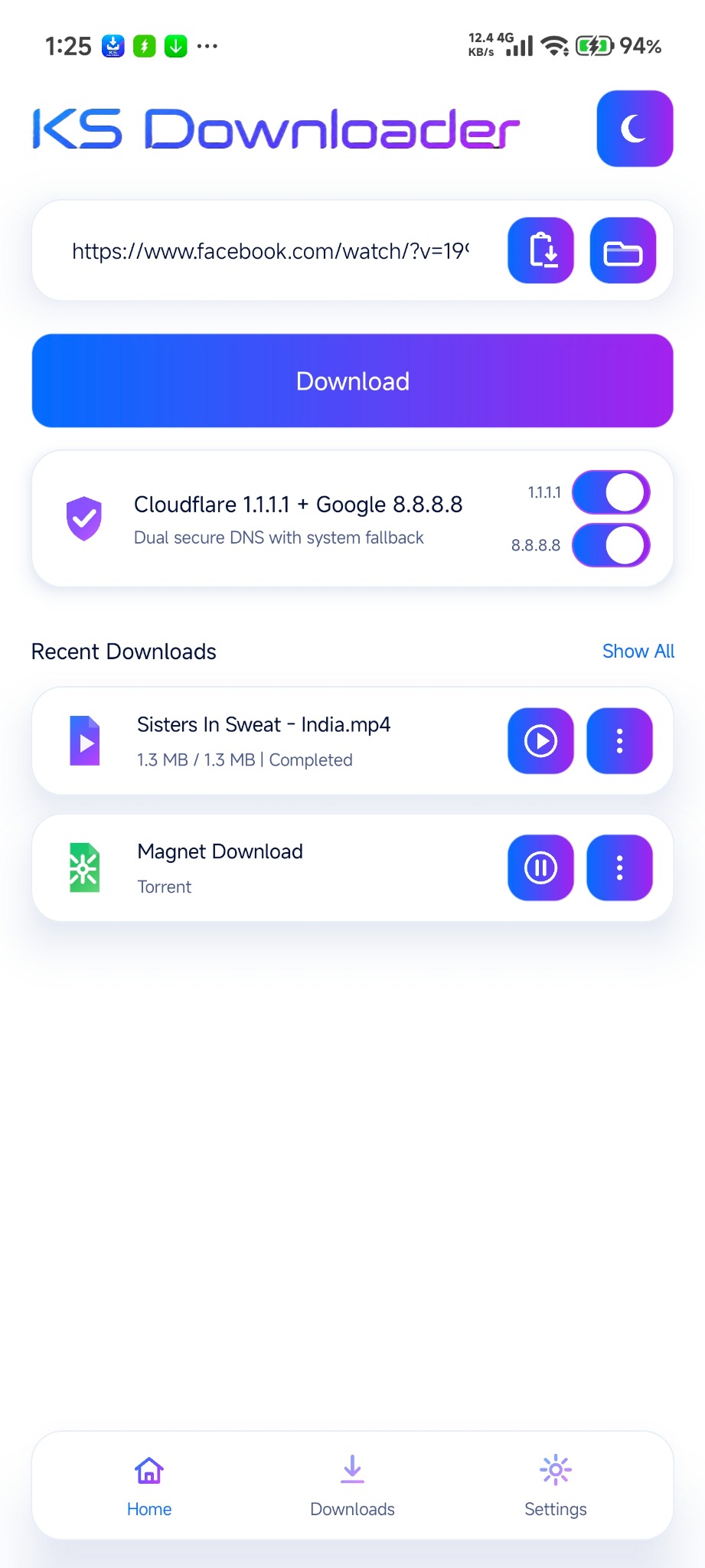
Paste supported file URLs, view file details, follow progress, and keep finished files easy to find.
Save supported video and audio from social platforms and other available categories where allowed.
Add a magnet link or .torrent file, review detected files, and start only the items you want.
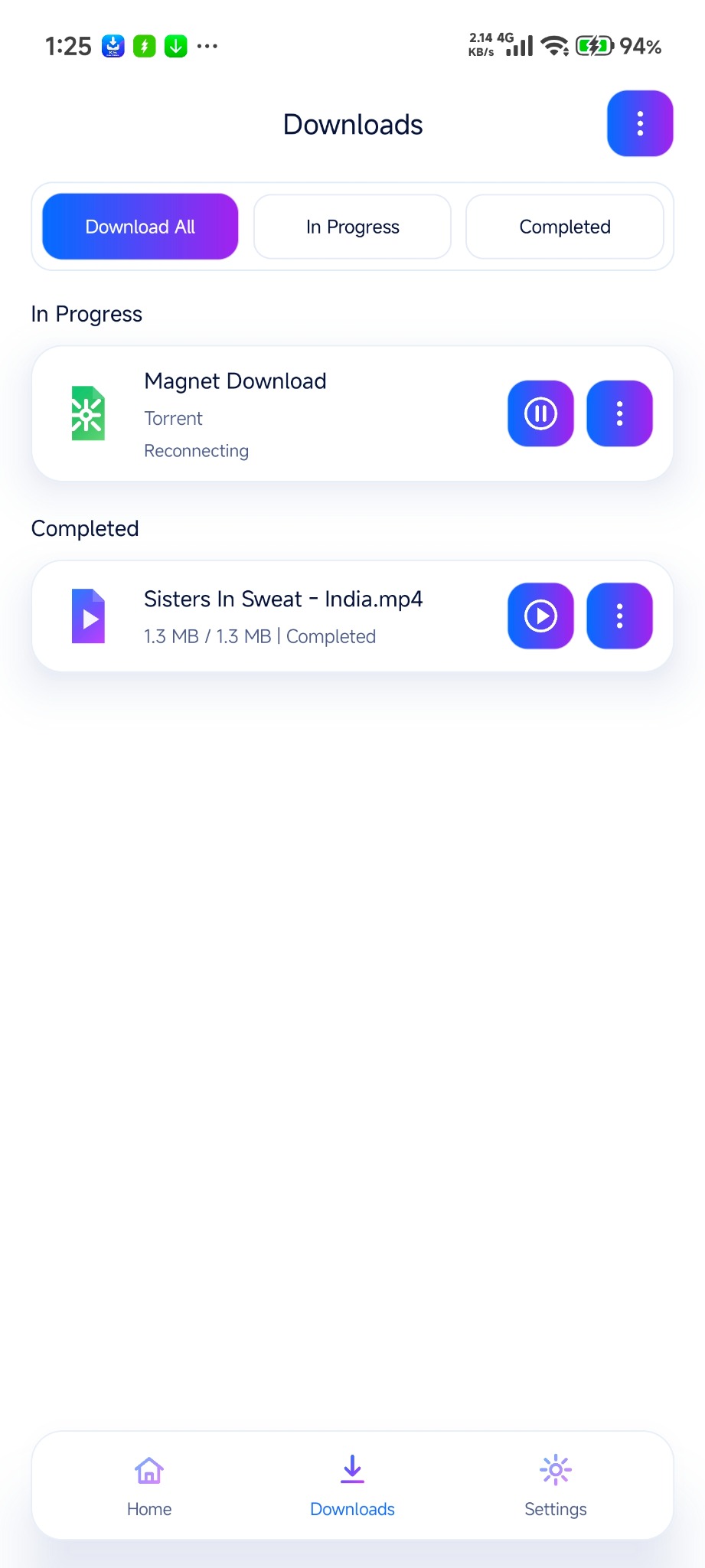
Track active, paused, completed and failed items with readable progress and quick access to files.
Switch between light and dark layouts for a cleaner look that feels comfortable throughout the day.
Download availability may depend on local law, IP/location, platform rules, content rights and file support.
Download categories
From social videos to direct files and torrents, KS Downloader keeps the main download types organized in one clean flow.
Use supported Facebook, Instagram, TikTok, Snapchat, ShareChat, Moj and Kwai links to save permitted video or audio content with a simple flow.
Paste direct file links, follow progress clearly, and return later to completed files without losing track of the download.
Add a magnet link or .torrent file, check the detected items, and save only the files you want from the list.
Selected adult-source categories are available for personal and permitted use only. Access may vary by local law, IP/location, platform rules and content rights.
How it works
Paste a supported URL, direct file link, magnet link or import a torrent file from your device.
Review the supported files or formats and select the one you want to save.
Watch progress, pause or resume supported items, and return later to the completed list.
App preview
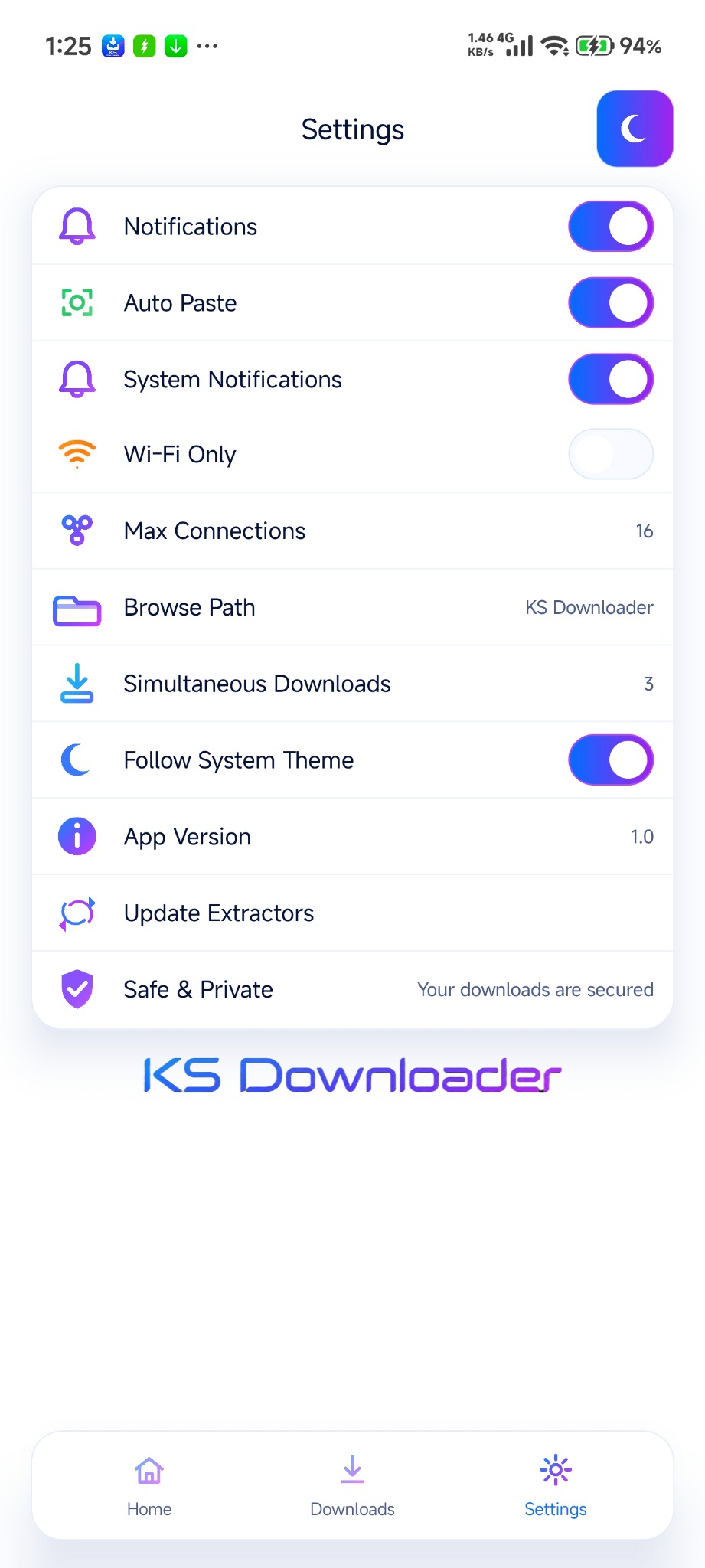
Switch between light and dark preview modes to see the Home, Downloads and Settings screens. The screenshots below reflect the actual visual direction of the app more closely.

Availability of some categories and actions may depend on content support, region, IP and applicable local law.


FAQ
KS Downloader is an Android app for saving video, audio, direct files, torrents and magnet links from supported sources. It lets users paste a link, fetch available options, follow progress, pause or resume supported items, and keep completed files organized.
Supported categories include Facebook, Instagram, TikTok, Snapchat, ShareChat, Moj, Kwai, direct file URLs, torrent/magnet links, selected adult sources such as Pornhub, Eporner, TNAFlix, Xhamster, Xvideos and Pornflip, plus more supported sources. Download availability can vary by local law, IP/location, source-platform rules, content permissions and app compatibility.
Yes. KS Downloader supports torrent downloads through magnet links and .torrent file import.
Yes. You can use supported direct file URLs with progress tracking, pause/resume where available, and completed-file access.
No. Use the app only for content you own, content you have permission to download, or content the source platform allows you to save. Some downloads may also depend on local law, IP/location and platform restrictions.
You can open the Privacy Policy from the navigation or footer.